
 08131323935
|
08131323935
|
 08131323935
How to Check Admission Status on JAMB CAPs 2026 Portal – Here is everything you need to know about 2026 JAMB Admission Checker Portal which is well explained in this guide, including how to check school admission status, log in without email and password, and how to accept admission using JAMB registration number.
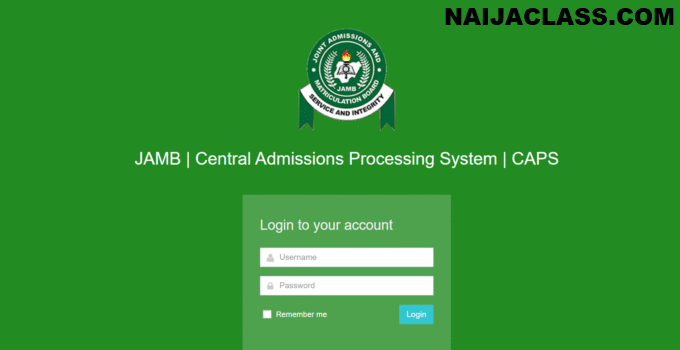
After writing the 2026 Unified Tertiary Matriculation Examination (UTME) and taking part in the Post-UTME screening exercise, the next important step is to check your admission status through the JAMB Central Admissions Processing System (CAPS).

You can check your 2026 admission status using your email and password, or JAMB registration number on your mobile phone without visiting JAMB CBT centre.
Things to Know About JAMB CAPS 2026/2027 Admission Portal
The Central Admission Processing System, JAMB CAPS 2026 portal is the official platform where candidates can interact with JAMB, institutions and manage their admission profile.
Once you’ve been offered admission on the 2026 JAMB CAPS portal, you must accept it within 72 hours, or the offer may be withdrawn.
If you mistakenly reject the admission, contact Naijaclass Academy Team or your school immediately for assistance.
Things You Can Do on Your 2026 JAMB CAPS Profile Include:
- Check and Accept or Reject 2026 Admission
- Print 2026 JAMB Admission Letter
- Print 2026 Original JAMB Result
- Confirm 2026 O’level Result Upload
- Correct and Verify Your Data (Name, Date of Birth, etc.)
JAMB CAPS Portal Link 2026/2027
JAMB CAPS Portal for 2026/2027 admission screening exercise has been activated and is now Active.
The portal is accessible through the JAMB e-Facility Portal.
- Institutional CAPS Access Link:
www.caps.jamb.gov.ng/default.aspx?TokenID=P#81%60@78 - Candidate CAPS Access Link:
www.efacility.jamb.gov.ng
How to Accept Admission on JAMB CAPS Portal 2026/2027 Academic Session
There are four approved methods you can use to accept your 2026 admission on the JAMB CAPS portal, and they include:
- Through JAMB CAPS Portal
- Using 2026 JAMB CAPS Profile Link
- At any accredited JAMB CBT Centre
- Via SMS using 55019 or 66019 and
- Through fingerprint authentication
Here is how to accept your 2026 admission on JAMB CAPS portal:
- Go to 2026 JAMB CAPS portal at www.portal.jamb.gov.ng
- Enter your 2026 JAMB email and Password
- Click on the “LOGIN” button to access your profile, CAPS, and other options.
How to Check Admission Status 2026/2027
- Visit 2026 admission checker portal at www.portal.jamb.gov.ng
- Enter your 2026 JAMB email and Password
- Tap the “LOGIN” button to open your JAMB profile
- Click on the “Check Admission Status” button to view your 2026 admission status.
How to Check Admission Status Using JAMB Registration Number 2026
If you don’t have access to your email or password, you can still check your 2026 JAMB admission status using your 2026 JAMB registration number.
Follow the steps below to get help from a Naijaclass Assistant:
- Go to Naijaclass Academy Support page
- Make a small payment to connect with a Naijaclass Assistant on WhatsApp
- Provide your 2026 JAMB registration number
- The Naijaclass Academy Assistant will check your admission status using the official JAMB CAPS portal
- You will get a screenshot of your admission status within one (1) minute.
How to Get JAMB Profile Link 2026
Here is how to get a JAMB profile link:
- Go to Naijaclass Academy Support page
- Make a small payment to connect with a Naijaclass Assistant on WhatsApp
- Provide your 2026 JAMB registration number
- The Naijaclass Academy Assistant will check your admission status using the official JAMB CAPS portal
- You will get a screenshot of your admission status within one (1) minute.\
How to Check School Admission Status 2026/2027
Here’s how to check your 2026 school admission status:
- Visit your school 2026 undergraduate admission portal
- On the homepage, locate and click on the 2026 admission checker link
- In the space provided, enter your 2026 JAMB registration number or any other required details to proceed.
- Click login or submit to view your 2026 admission status
How to Know if You Have Been Given Admission in 2026/2027 Academic Session

Here is how to find out if you have been offered admission in 2026:
- Check your 2026 JAMB email inbox
- Visit 2026 JAMB CAPS Portal
- Visit your school undergraduate admission portal
- Check your JAMB registered phone number for SMS notification from JAMB or school.
Why You Have Not Been Given Admission on JAMB CAPS Portal
Here are possible reasons:
- You have not been offered admission yet
- Technical issues on JAMB portal
- Admission is still under review by your institution
- You have not uploaded your O’level results
What to Do If You Have Not Been Given Admission on JAMB CAPS in 2026
Here are possible solutions if you have not been given admission:
- Re-link your WAEC, NECO, or NABTEB result on JAMB CAPS and your school 2026 admission portal
- Contact your school admission office to confirm if your name is on their internal list or if there are issues with your application.
- Double-check your eligibility, such as the required JAMB cut-off mark and Post UTME screening score.
- If your course is too competitive, switch to a course with a lower cut-off mark or another school that is still accepting applications.
- Contact Us for further assistance
Deadline for Accepting Admission on JAMB CAPS 2026/2027 Portal
The Joint Admissions and Matriculation Board (JAMB) has announced 15th November 2026 as the official deadline for candidate to accept their admission on the JAMB CAPS Portal 2026.
We hope this guide has helped you understand JAMB CAPS Portal 2026 and how to check your JAMB and school admission status using your registration number.